We are students who want to use lorawan for a project and are currently trying to get the riot lorawan example to work with our board.
We are using an adafruit-feather-nrf52840-sense with an Seeedstudio SX1262 connected via SPI. For that, we copied the adafruit-feather-nrf52840-sense folder and added the definitions for the radio connection. You can find our board folder here: OpenSensSystem / OpenSensBoard / adafruit-feather-nrf52840-sense-lorawan · GitLab
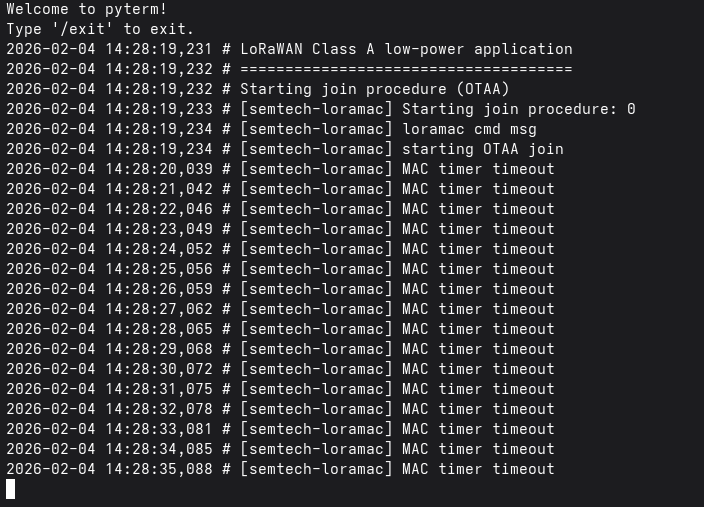
Since a deep-dive into the semtech-loramac packge didn’t really answer the question of why we get the MAc timer timeout errors and since we noticed that we’re missing a lot of debug messages that would indicate the Join procedure is actually happening, we started to wander if maybe our custom Makefiles are the problem, if maybe we aren’t really sending anything at all.
Hardware is verified and works with arduino and radiolib 7.x
We use a lorawan 1.04 device over the TTN.
Unless I have missed something, I don’t see how your test application is making use of your custom board definition. So your test app is making use of the board definition provided by RIOT instead.
These “MAC Timer timeout” messages are the ticks of the Semtech pkg, which is used to perform steps in the internal state machine. It’s normal to see them every one second.
Since this involves a “new board”, I would try some sanity checks before trying to join a LoRaWAN network.
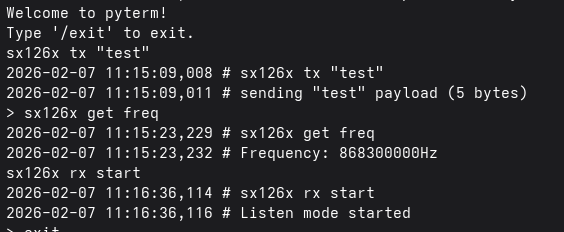
Flash tests/drivers/sx126xon your device and verify that the radio is working (e.g send data between 2 devices). If initialization fails, the problem is likely the pin settings.
Try ABP activation instead of OTA. In some cases, timing issues may prevent successful over-the-air activation.
Check whether the gateway receives data from the nodes.
In any case, you may also try the in-house implementation (GNRC LoRaWAN) under networking/gnrc_lorawan. It’s in general easier to use and to debug.
hi,
I don’t really understand why the app isn’t using our board definition. Could you explain that?
I set the board variable in lorawan_test/Makefile to “adafruit-feather-nrf52840-sense-lorawan” and added this folder to RIOT/boards. I thought this was enough so the app would use the specified board?
Our board definition is mostly the same as the adafruit-feather-nrf52840-sense, because we are using a adafruit-feather-nrf52840-sense board, but we added
/**
(since I only had one device I just tested if the commands did something, but if the pin configuration was the problem that shouldn’t have worked, right?)
When we started testing lorawan we did look at the gateway, but we never received anything while using riot os.
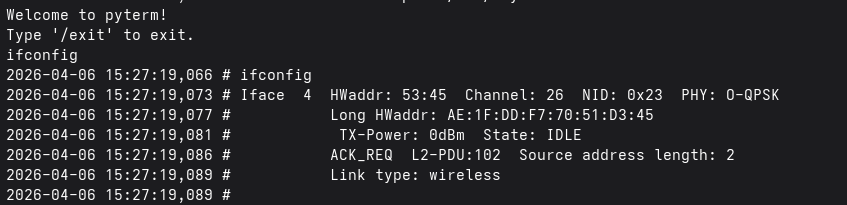
I just tried the gnrc/lorawan example and this one also doesn’t seem to work. If my understanding is correct, ifconfig should show me my lorawan radio and then I can use it and try to join, but there seems to be only one networking device and it isn’t the lorawan device.
(I did add USEMODULE += sx1262 to the Makefile)